

Open the Task Manager on a laptop bought in 2026. Alongside the usual CPU and GPU graphs, you will see a stranger jittering in the metrics column. It is labeled NPU.
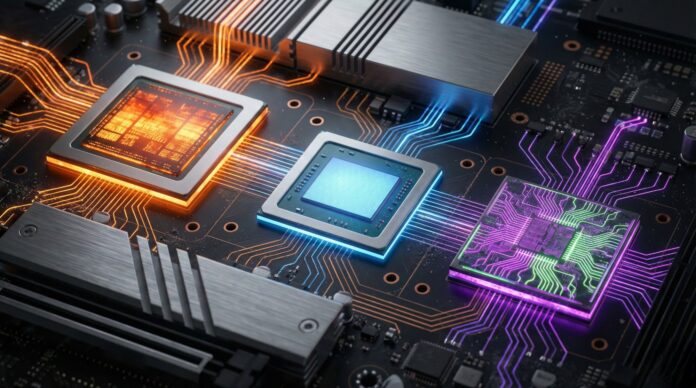
For forty years, personal computing relied on a strict duality. The Central Processing Unit (CPU) handled general logic; the Graphics Processing Unit (GPU) pushed pixels. But the generative AI boom broke that partnership. To run modern models locally without killing a laptop’s battery in forty-five minutes, manufacturers were forced to weld a third processor onto the die: the Neural Processing Unit.
This isn’t a marketing gimmick. It is a fundamental architectural pivot designed to drag AI workloads out of the cloud and onto your silicon. Here is why that matters, and who is actually winning the race to power your machine.
The Three Brains: A New Hierarchy
To understand the NPU, you have to understand where the old guard failed.
The CPU (The Generalist) Think of the CPU as a master carpenter. It is brilliant at sequential logic, managing the operating system, and executing complex, varied instructions. But ask it to process the massive mathematical arrays required by neural networks? It chokes. It’s too meticulous, too slow.
The GPU (The Muscle) The GPU is a brute-force factory. It has thousands of cores designed to solve the same math problem simultaneously. It is exceptional for 3D gaming and training AI models. The problem is appetite. Running a background inference task—like real-time noise cancellation—on a discrete GPU is like using a flamethrower to light a birthday candle. It works, but it wastes an immense amount of energy.
The NPU (The Specialist) The NPU is a mathematician who only knows matrix multiplication. It is physically etched to execute tensor operations used by Large Language Models (LLMs). It lacks the versatility of a CPU or the raw peak power of a flagship GPU. But it is efficient. Ruthlessly efficient.
The Efficiency Gap
The entire industry pivot comes down to one metric: performance per watt.
In a standard workload, running a local chatbot (like Llama 3) on a GPU might chew through 40 to 100 watts. The fans scream; the chassis heats up. An NPU can run that same inference task—generating text or analyzing data—under 10 watts. This allows AI features to run continuously in the background, invisible to the user and the battery meter.
Architecture: How It Works

The difference is precision.
GPUs generally trade in high-precision floating-point math (FP32 or FP16). This is non-negotiable for scientific simulations or rendering a 4K sunset. However, a trained AI model rarely needs that level of decimal-point accuracy to know that a picture contains a “cat.”
NPUs are optimized for lower precision (Int8 or Int4). They trade a microscopic amount of accuracy for massive speed. They utilize “systolic arrays”—data flows through a grid of processors like blood through veins, reusing information to minimize the energy cost of fetching data from memory.
The Market Leaders: 2025-2026 Snapshot
The “AI PC” sector is a three-way brawl between Intel, AMD, and Qualcomm. Apple sits to the side, playing by its own vertical-integration rules.
The battleground is measured in TOPS (Trillions of Operations Per Second). To earn Microsoft’s “Copilot+ PC” badge, a laptop’s NPU needs to hit a floor of 40 TOPS.
| Feature | Qualcomm Snapdragon X Elite | Intel Core Ultra (Series 2) | AMD Ryzen AI 300 | NVIDIA RTX 40/50 Series (GPU) |
|---|---|---|---|---|
| Architecture | ARM-based | x86 (Lunar Lake) | x86 (Zen 5) | Parallel Graphics |
| NPU Power | ~45 TOPS | ~48 TOPS | ~50-55 TOPS | N/A (Uses Tensor Cores) |
| Total Sys OPS | ~75 TOPS | ~120 TOPS | ~100+ TOPS | 1000+ TOPS |
| Best For | Extreme Battery Life (20+ hrs) | Corporate Compatibility | Gaming + AI Balance | Heavy Creation / Gaming |
| Power Draw | Very Low | Low/Medium | Medium | High (Dedicated) |
A critical distinction: Do not confuse NPU TOPS with GPU TOPS. A dedicated NVIDIA GPU can easily smash 300+ TOPS. But it cannot do it while unplugged for eight hours. The NPU wins on sustained performance; the GPU wins on peak power.
Real-World Use Cases: When Do You Use the NPU?

If you are chatting with ChatGPT in Chrome, your NPU is asleep. That processing happens on a server farm in Virginia. The NPU is for On-Device AI.
1. The Invisible Work
Right now, the NPU mostly works in the shadows. It powers “Windows Studio Effects”—blurring your messy room on a video call, filtering out the lawnmower outside, or correcting your gaze so it looks like you are staring at the camera. Before NPUs, these effects pegged the CPU at 20% load. Now, they consume negligible resources.
2. Local Security
Enterprises are paranoid about data leakage. They do not want employees pasting proprietary code or financial reports into a cloud-based LLM. An NPU allows a laptop to run a Small Language Model (SLM) locally. It reads the file, summarizes it, and generates insights without a single byte leaving the machine.
3. Media Editing
Adobe Premiere and DaVinci Resolve have begun offloading specific tasks—like “Magic Mask” or “Auto Reframe”—to the NPU. This clears the lane for the GPU to focus entirely on rendering the timeline playback. The result is a smoother edit, fewer dropped frames, and a quieter fan profile.
The Verdict
The gigahertz wars are dead. The new fight isn’t about raw speed; it’s about intelligence per watt.
While the GPU remains the king of gaming and heavy rendering, the NPU has secured its tenancy as the third pillar of modern computing. As developers optimize more software for local inference, the NPU will dictate how capable your machine feels two years down the road.
The era of the “dumb” processor is over. Your next computer won’t just calculate. It will predict.
